
MCP & AI Tool Integrations
Connect AI tools to the systems and information your team already uses through focused MCP servers, APIs, and permission-aware integrations.
Model Context Protocol (MCP) provides a common way for AI applications to use tools and retrieve context from another system. We build integrations that expose clearly defined capabilities, such as finding records, querying a knowledge source, or retrieving an operational summary.
Our work includes ClassWise’s live MCP v2 integration on ChatGPT, research tools for Ask Spurgeon, and facility-operation prototypes. ClassWise connects scoped district reporting and operational diagnostics with focused, employee-authorized configuration repairs. Reusing a suitable API and a shared tool contract can make a capability available across compatible AI clients while keeping each tool’s role clear.
How we can help
- MCP servers and tool definitions for existing applications
- Read-only business-data lookup and context retrieval
- OAuth and existing role or membership permissions
- Shared integration contracts across compatible AI clients
- Tool validation, useful responses, and incremental rollout
Technologies we work with
- MCP
- TypeScript
- C# / .NET
- REST APIs
- OAuth
Related project work
Explore related applications, integrations, and software work from our portfolio.
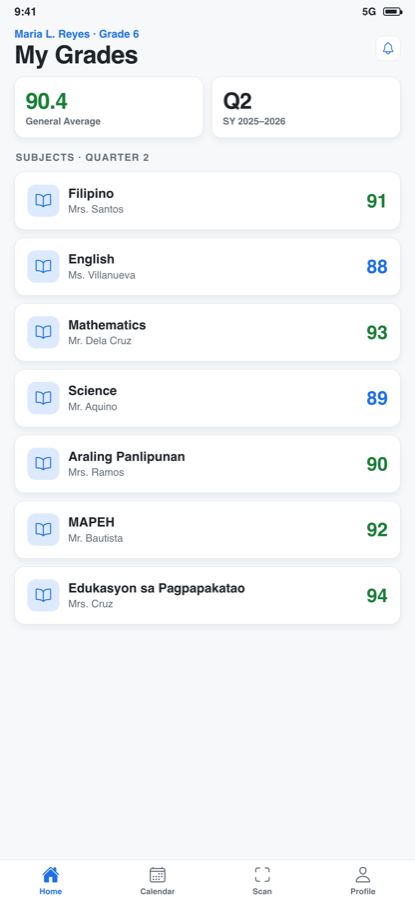
Education · Live MCP v2 on ChatGPT
ClassWise
An education platform for school operations, with web and mobile apps and a live MCP v2 integration on ChatGPT.
Web, iOS, Android, ChatGPT (MCP v2)
AI & Research · Live
Ask Spurgeon
A sermon-research and AI application combining a structured historical corpus, retrieval tools, and carefully separated generated answers.
Web, MCP integration
AI & Research · Internal prototype
Facilitron MCP Connector
An internal MCP prototype exposing a small, read-only reservation lookup surface with explicit organization selection and bounded application tools.
MCP integration, Developer tools
Discuss your project
Tell us what you are building, what already exists, and where you need help. We can discuss the requirements and an appropriate next step.
Book a consultationSee our project portfolioFrequently asked questions
What does an MCP integration let an AI tool do?
It gives a compatible AI client a defined set of tools or context from another application. An integration might look up a permitted record, search a document library, or return a summary. The server defines the available capabilities and the underlying application continues to enforce access.
Do we need to replace our existing business software?
An integration can often build on an existing API and data model. We first review the available interfaces and permissions, then define the capabilities the AI client needs. That makes it possible to extend a system in focused increments.
Can we begin with read-only tools?
Yes. We can begin with a focused set of permitted lookup tools, define the information they can return, and verify the existing access rules. Reporting and action capabilities can then be scoped to the people who are authorized to use them.